8. Explicit Markup
8.1. Comments
Arbitrary indented text may follow the explicit markup start and will be processed as
a comment element, and not included in the output. The comment ends when indented
characters return to the same indent level as the .. that started the comment.
..
   _This: is a comment.

The above is a comment because empty space after the .. is not recognized as a
directive.

..
   [and] this.

..
   this:: too.

..
   |even| this:: .

.. Anything not recognized as an explicit directive by the Docutils + Sphinx
   parers is treated as a comment.

.. [this] however, is a citation.
See comments for more information.
8.2. Directives
.. directive_name::    <-- two colons
    :config_option:    <-- config options when available

    text block the directive applies to
8.4. Glossaries
Glossaries are plain definition lists as “content” of a .. glossary:: directive.
The terms can be later linked to from elsewhere in the Sphinx build using an in-line
:term: interpreted text role.
Example source:
.. glossary::

    term1
        words of definition 1

    term2
        words of definition 2

...(in text elsewhere in the Sphinx build)...

Use a :term:`term1` when this situation arises.  It pleasantly offers a link to
the definition for readers who need it, and readers who don't need it can simply
read on.
These are also encapsulated in <dl> elements with the unique trait that the
<dl> element has a class attribute: glossary, which makes it easy to format
with CSS.
When they are rendered, they look like this:
...(in text elsewhere in the Sphinx build)...
Use a term1 when this situation arises. It pleasantly offers a link to the definition for readers who need it, and readers who don’t need it can simply read on.
8.5. Footnotes
Footnotes are created the usual way for reStructuredText documented in the reST Footnotes Specification.
Example source:
Some paragraph text with a footnote. [1]_  Some additional paragraph text\ [2]_.
Some more paragraph text\ [3]_.  And some more paragraph text\ [4]_.

...

.. [1]

    This is the contents of the footnote, which might be long.

.. [2]  This is an example of a multi-line footnote showing how
        indentation needs to be handled so it can be parsed
        correctly by the DocUtils parser.

.. [3]  This is another example of a multi-line footnote
    showing how indentation can be different for subsequent
    lines in the paragraph.

    Additional paragraphs must be indented identically.

.. [4]  This is a second example of a multi-line footnote
    showing how indentation can be different for subsequent
    lines in the paragraph.

      This is what happens when subsequent paragraphs are not
      indented identically.  It doesn't work.  So don't do it.
Note that the reference must be preceded by a space. If the hyperlinked footnote
symbol should be against the word before it, then escape the preceeding space like
this: footnoted topic\ [1]_.
This is what it looks like when it is rendered.
Some paragraph text with a footnote. [1] Some additional paragraph text[2]. Some more paragraph text[3]. And some more paragraph text[4].
...
8.5.1. More Footnote Syntax
Lorem ipsum\ [5]_ dolor sit amet, consectetur adipiscing elit\  [#unique_name]_,
sed do eiusmod tempor [#]_ incididunt ut labore et dolore magna aliqua.
Ut enim\ [*]_ ad minim veniam, quis nostrud....  This is my book.\ [BOOK2026]_

.. rubric:: Footnotes   <-- optional

.. [BOOK2026]
    Citation text

.. [5]             <-- manually-numbered footnote (directives DO NOT have to be in same sequence, but should be)
.. [#unique_name]  <-- auto-numbered label (directives DO NOT have to be in same sequence)
.. [#]             <-- auto-numbered footnote (starts at 1) (directives have to be in same sequence)
.. [*]             <-- auto-symbol footnote (directives have to be in same sequence)
Renders like this:
Lorem ipsum[5] dolor sit amet, consectetur adipiscing elit [6], sed do eiusmod tempor [7] incididunt ut labore et dolore magna aliqua. Ut enim[*] ad minim veniam, quis nostrud.... This is my book.[BOOK2026]
Footnotes <– optional
Citation text
Manually-Numbered footnotes and Auto-Numbered Label footnotes both can have any number of references (links) to 1 footnote.
In contrast, Auto-Numbered footnote and Auto-Symbol footnotes both require a 1:1 connection with the actual footnotes: one reference to one footnote, and in both cases the footnotes must appear in the same sequence as the references. For this reason, they cannot be used when more than one reference is needed. These are okay for “quickie” uses where the number of footnotes is small and the document will not undergo a lot of changes in its lifetime. However, for more complex documents, especially those that will undergo many changes in its lifetime, these two types of footnotes are not recommended (by this author) due to the maintenance liability (e.g. when paragraphs or rows in a table are moved around in a document). Manually-Numbered footnotes and Auto-Numbered Label do not carry this liability.
Footnote text must be consistently indented and left-aligned. The first body element within a footnote may begin on the same line as the footnote label. However, if the first element fits on one line and the indentation of the remaining elements differ, the first element must begin on the line after the footnote label. Otherwise, the difference in indentation will not be detected.
Footnotes may occur anywhere in the document, not only at the end. Where and how they appear in the processed output depends on the processing system.
Prior to Sphinx v8.0(?), Sphinx rendered them to <dl> with the footnote label
(and link) as the “term” part, and the content as the “definition” part.
So the Furo theme having separate <dl> formatting for footnotes appears to be
there to be compatible with older versions of Sphinx.
As of Sphinx version 8.0(?), Sphinx renders a list of footnotes as a list of
<aside> elements inside an overall <aside> element to make a list. That’s
why nested formatting does not work so well inside footnotes.
8.6. Citations
Citations look like this in source:
Some paragraph text with a footnote [CIT2002]_  Some additional paragraph text.

...

.. [CIT2002] Book or article reference, URL or whatever.
    More text indented when additional text is needed.

    Additional paragraphs of the citation.
This is what it looks like when it is rendered.
Some paragraph text with a footnote [CIT2002] Some additional paragraph text.
...
Book or article reference, URL or whatever. More text indented when additional text is needed.
Additional paragraphs of the citation.
Note that both footnotes and citations have VERY similar syntax. The reference looks
like this: [...]_ and the information it refers to is marked with explicit
markup like this: .. [...]. The difference lies in the first character after
the [. For footnotes, that character is a number, # or *. Anything else
that does not match that pattern is a citation. In Regular Expression terms: if it
matches ^\[[0-9#\*][^\]*\], then it’s a footnote, otherwise it’s a
citation.
Sphinx wraps citations in elements like this, so citations do not apply to Definition Lists:
<div role="list" class="citation-list">
    <div class="citation" id="cit2002" role="doc-biblioentry">
        <span class="label"><span class="fn-bracket">[</span><a role="doc-backlink" href="#id6">CIT2002</a><span class="fn-bracket">]</span></span>
        <p>This is the contents of the citation.</p>
    </div>
</div>
8.7. Figure References
The syntax for Figures is well described in the official reStructuredText
Figure-Directive Specification except for one thing:
it lists :figname: as one of its options, whereas using this option causes
the DocUtils parser to generate an error:
ERROR: Error in “figure” directive: unknown option: “figname”.
The option that actually works with the DocUtils parser (at least the one under
Sphinx, but I think any of them) is :name:.
You cannot refer back to the figure without this option giving it a unique identifier.
The following is how to later refer to figures. This is what the source code looks like.
.. Given this figure:

.. figure:: _static/images/window_screenshot.png
    :align: center
    :scale: 40%
    :alt:   Screenshot of a Sublime Text Window
    :name:  window

    Screenshot of a Sublime Text Window

.. ...(later in the text, or even in a different file)...

See :numref:`Window Screenshot (Fig. %s) <window>`.

Refer to :numref:`{name} <window>` to see screenshot.

See :numref:`window` for an example.
And this is what it looks like when the above is rendered.
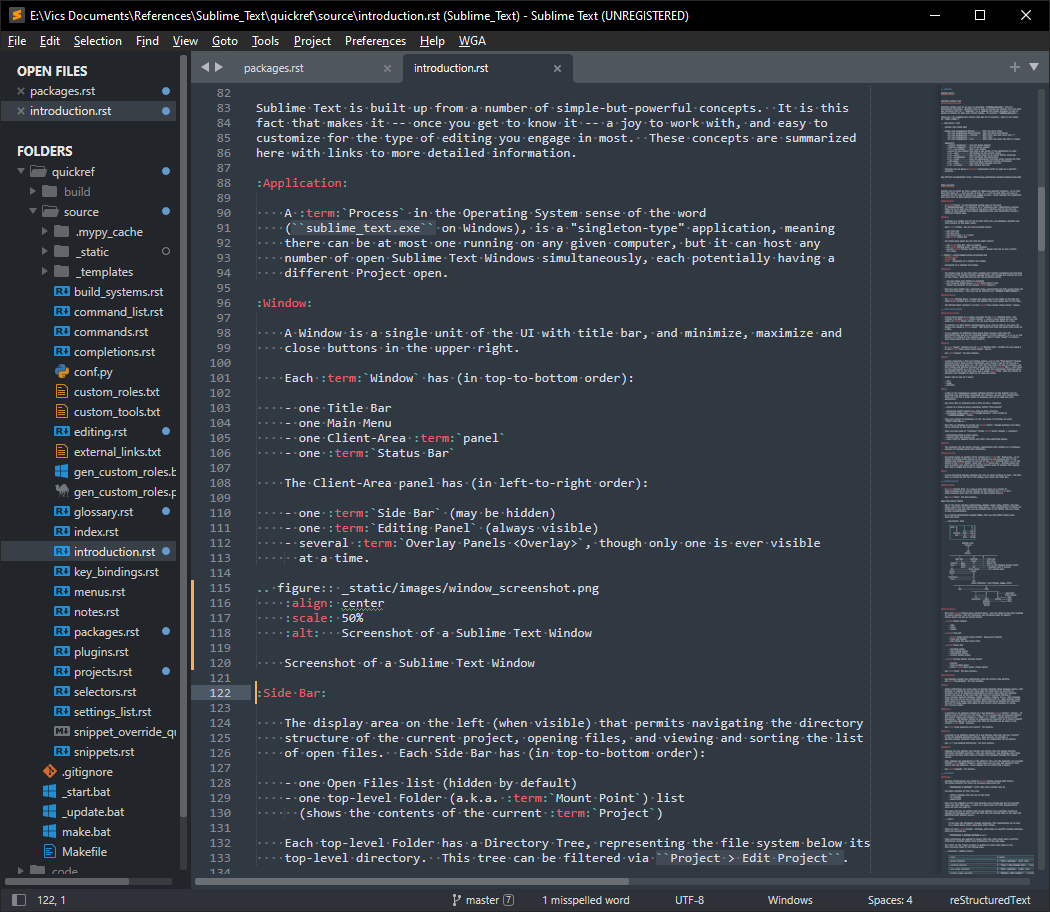
Fig. 8.7.1 Screenshot of a Sublime Text Window
See Window Screenshot (Fig. 8.7.1).
Refer to Screenshot of a Sublime Text Window to see screenshot.
See Fig. 8.7.1 for an example.
8.8. Further Reading
See Custom Roles and Substitutions for 2 more ways to use explicit directives.